Take payments, print receipts, see where the money came from, close the day and read reports from the phone, tablet or computer you already have. The badge on each feature shows the plan it starts from.
Premium and up
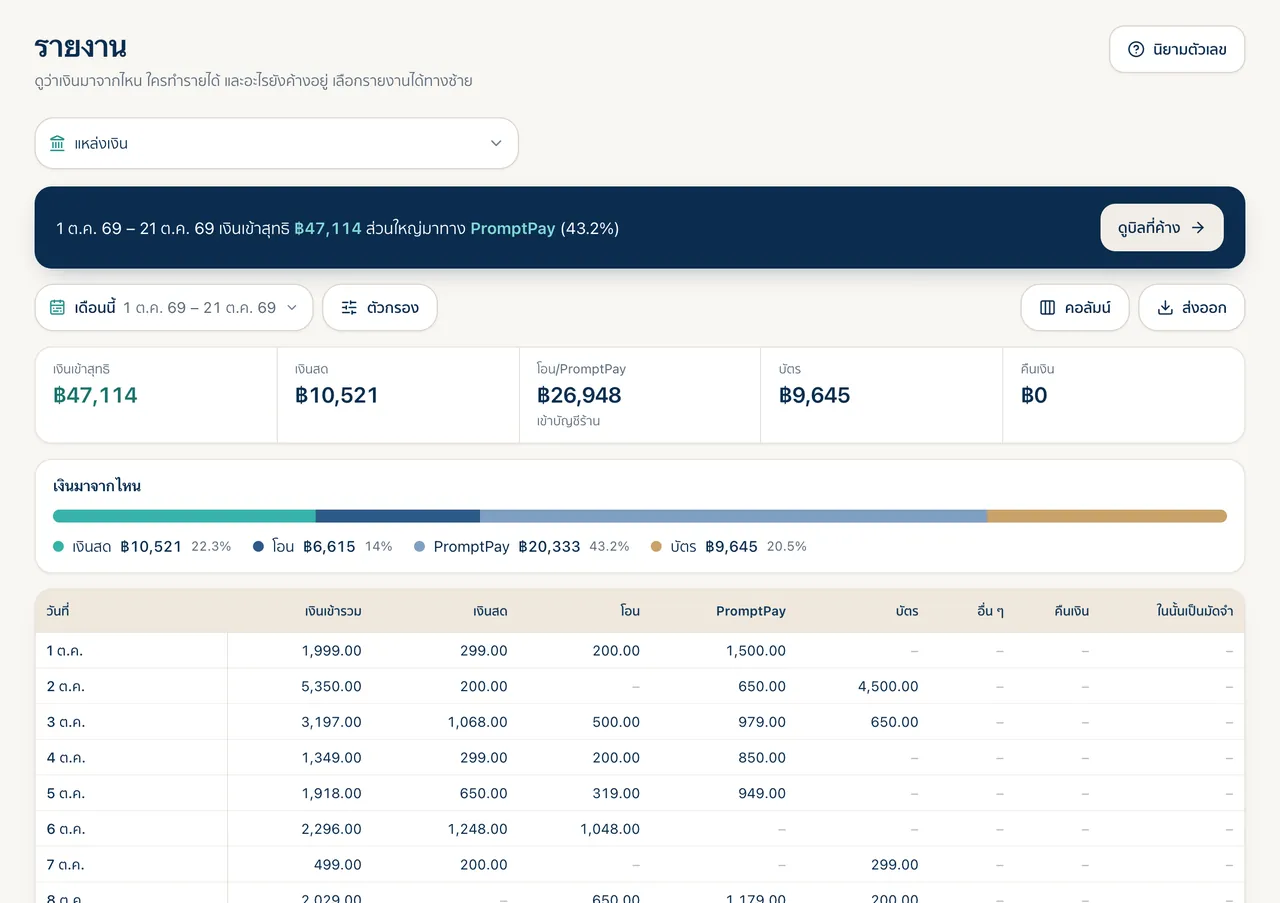
Checkout, receipts and money in by channel
Take cash, transfers, PromptPay and cards on one bill and print receipts with your logo
Deposits come off the bill automatically
A daily summary of cash, transfers and PromptPay, easy to check against the drawer
coreup.bizSample data
Money in, by channel
All plans
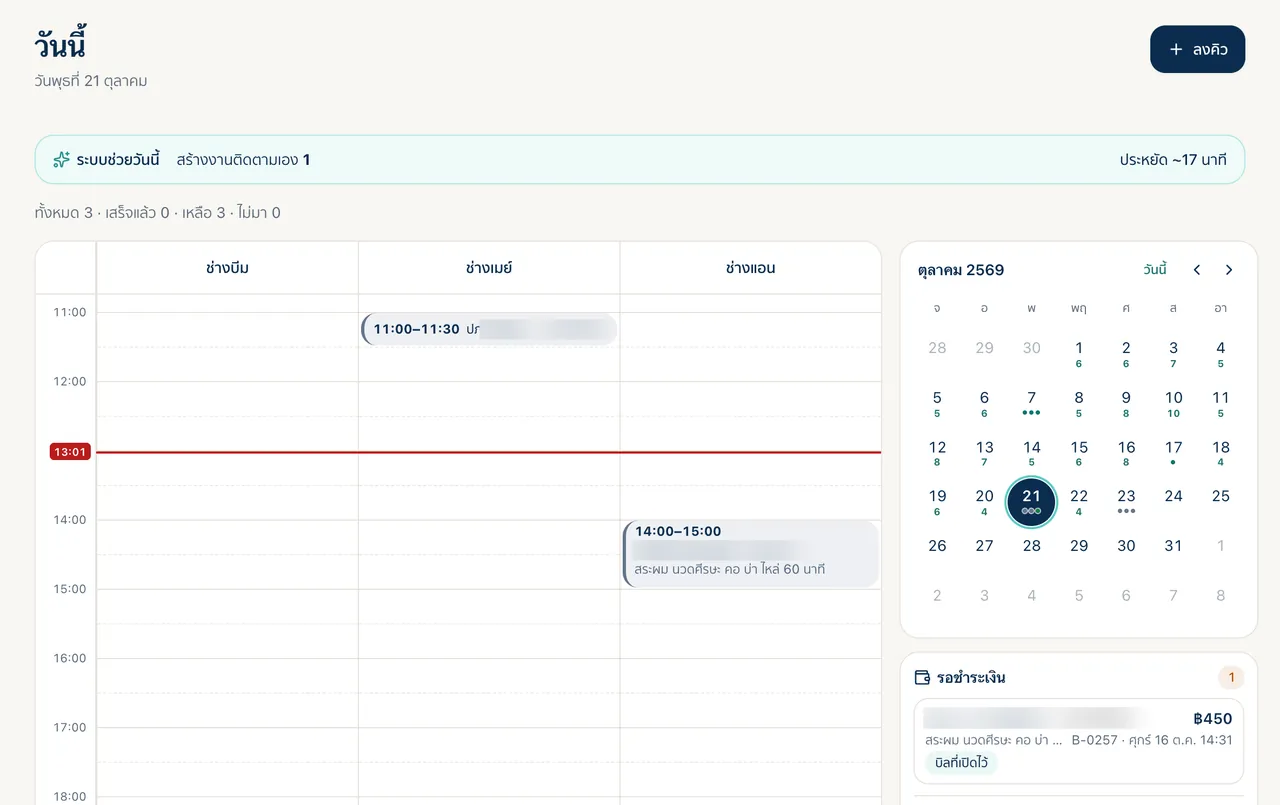
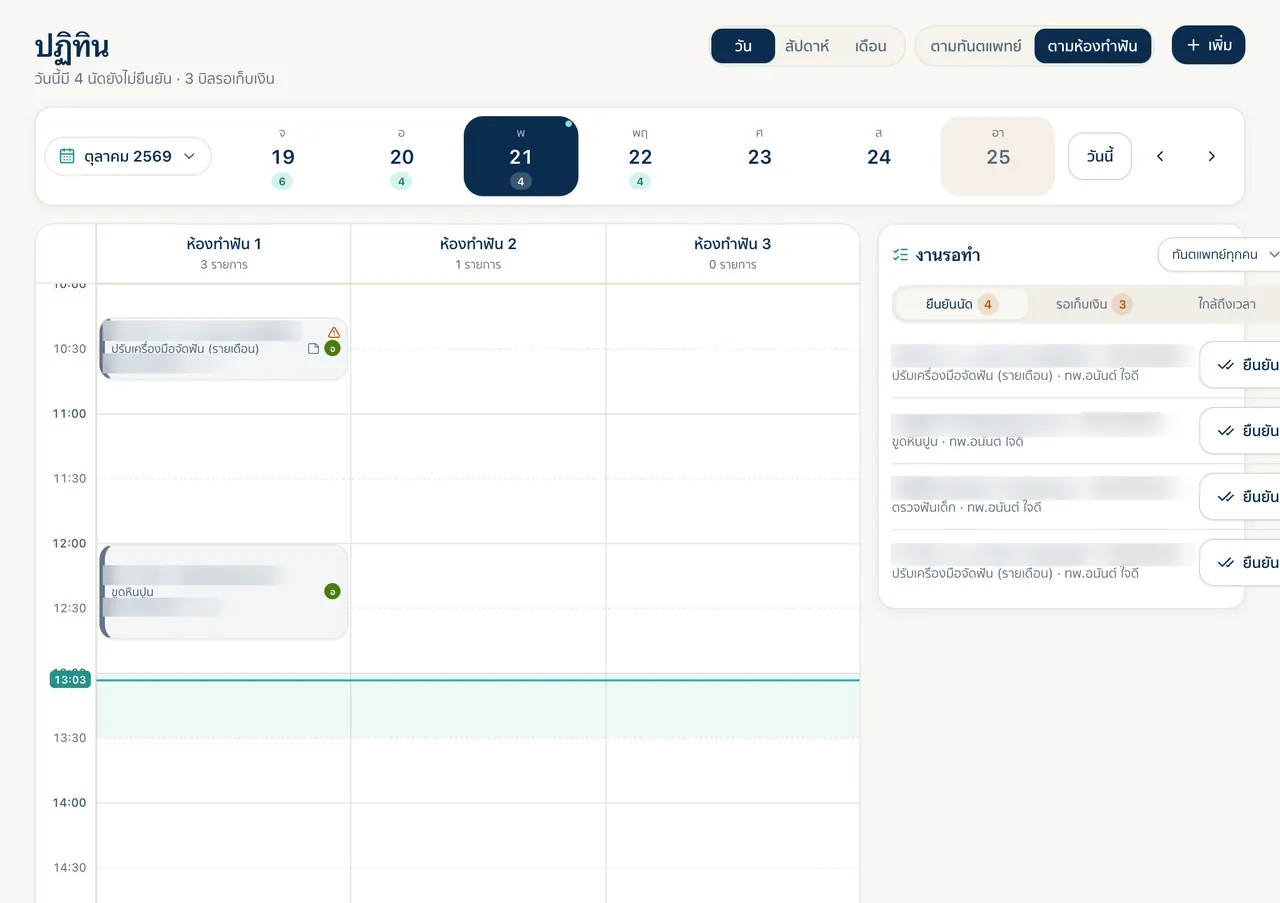
A calendar and Today screen the whole shop shares
See the day’s bookings by staff member and add walk-ins in a few taps
Unpaid bills and follow-ups sit on one page
coreup.bizSample data
The Today screen of a spa (sample data)
coreup.bizSample data
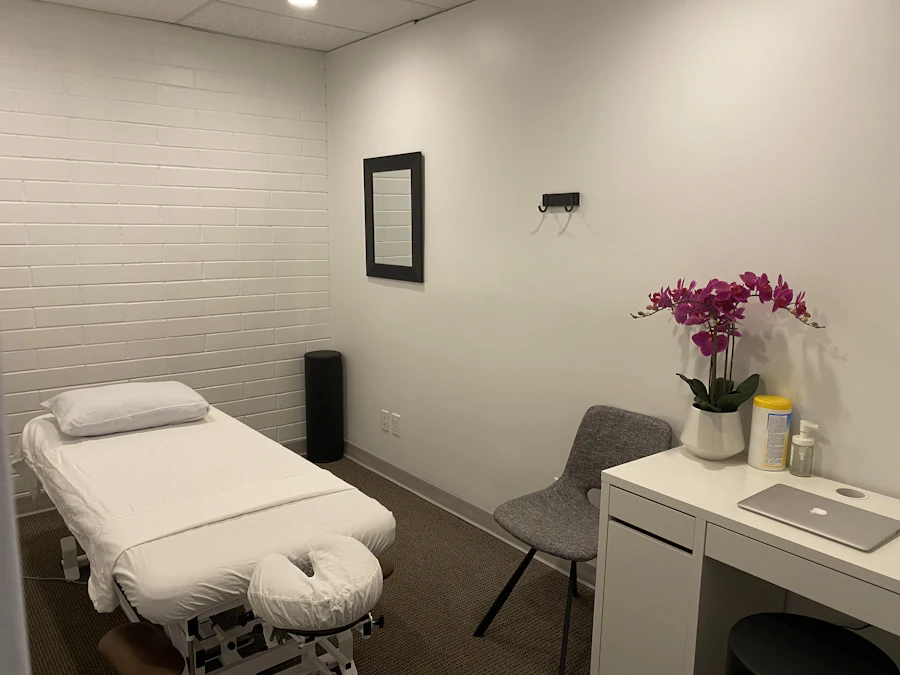
A clinic calendar by room (sample data)
And more that shops use every day
Premium and up
Courses and packages
Sell courses by the session, deduct a session each visit and see each customer’s balance
Business and up
End-of-day close and cash drawer
Count the drawer and close the day in one place, with no re-writing
Business and up
Rosters, leave and permissions
A weekly roster everyone sees the same way. Staff request leave and swap shifts, and you choose who can see what
Business and up
KPIs, SOPs and checklists
Key shop numbers, daily checklists and team surveys
Business and up
Many branches, one view
Business covers up to 3 branches and Enterprise 5, with extra branches at ฿490/month
Treatment records (HN/OPD)
For clinics: patient numbers and treatment records live in the same system as appointments and bills
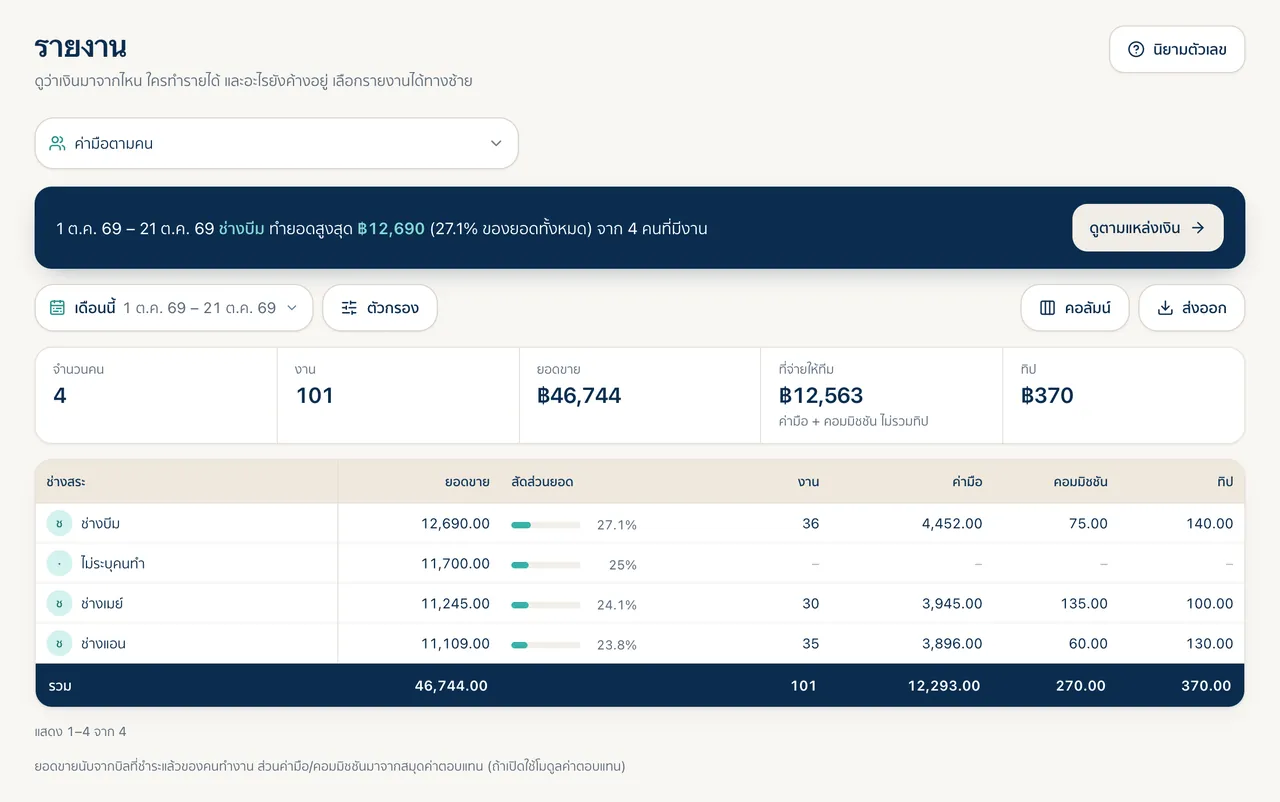
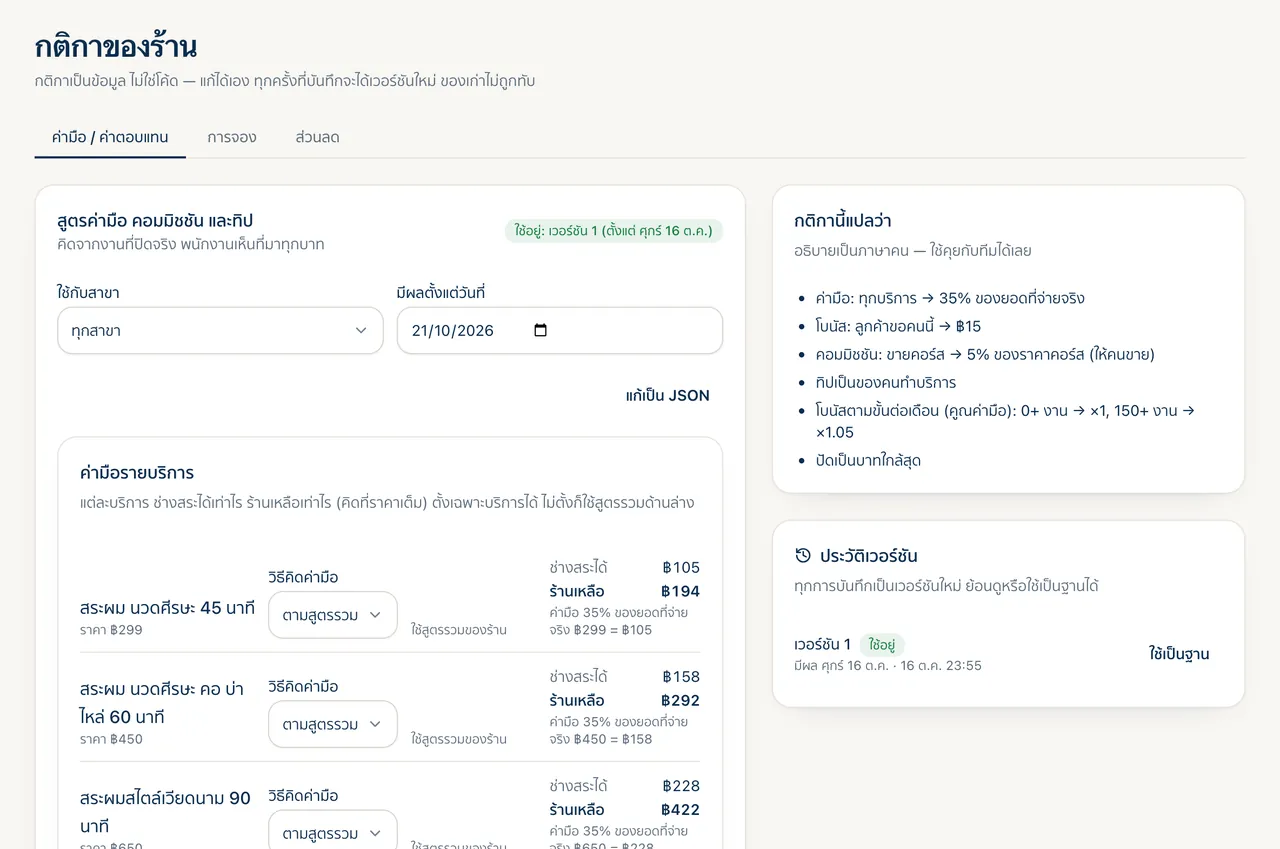
Close a bill and commission is worked out at once, with no adding up from paper at month end. Staff see their own earnings every day and the shop sees the same numbers.
coreup.bizSample data
Commission and sales by staff member
coreup.bizSample data
Setting commission rules per service
Pro and up
Set commission as a percentage of what was really paid, per service or as one shop-wide formula
Add commission on course sales, tips and bonuses by monthly job tiers
Rules are versioned: edit them and the old version is kept
Stock
Product and ingredient stock
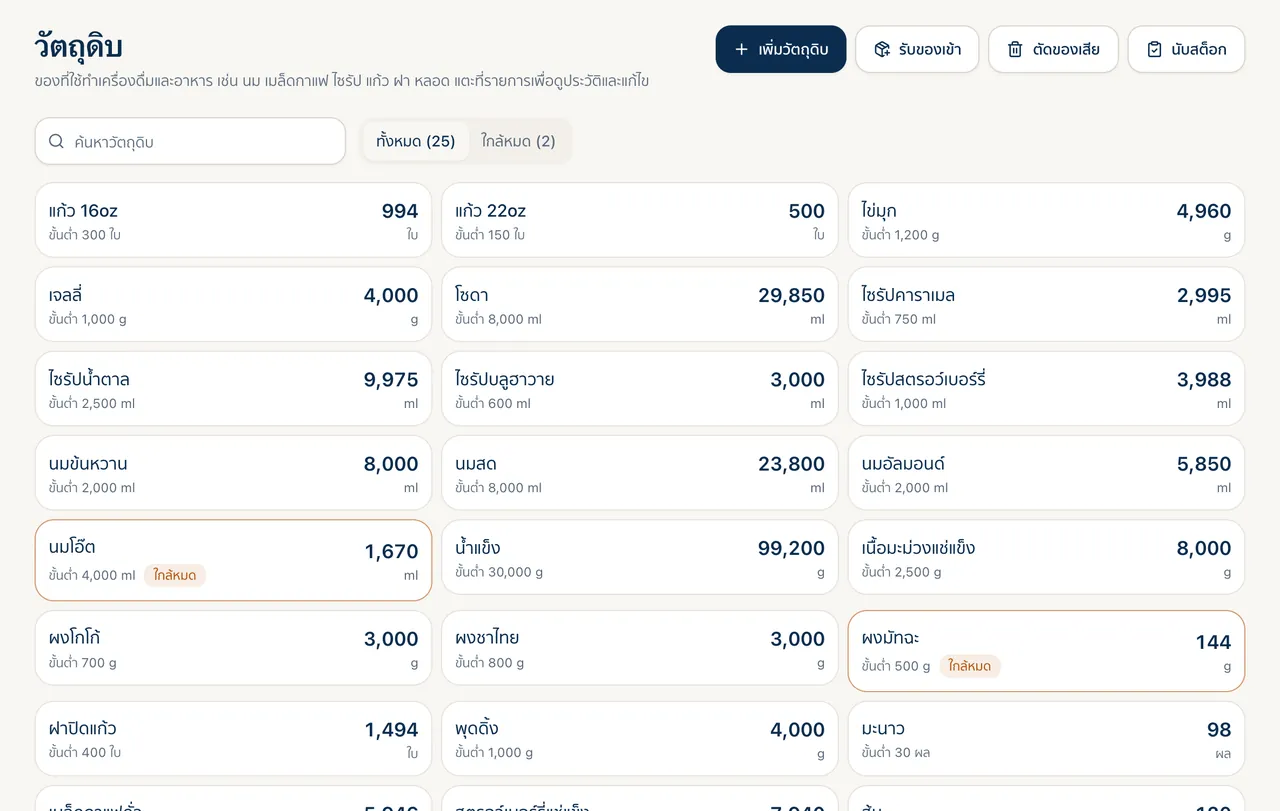
Know how much is left and what is running low before a customer asks. Cafés set a recipe per drink, ingredients are deducted when the bill is paid, and you see profit per menu item.
coreup.bizSample data
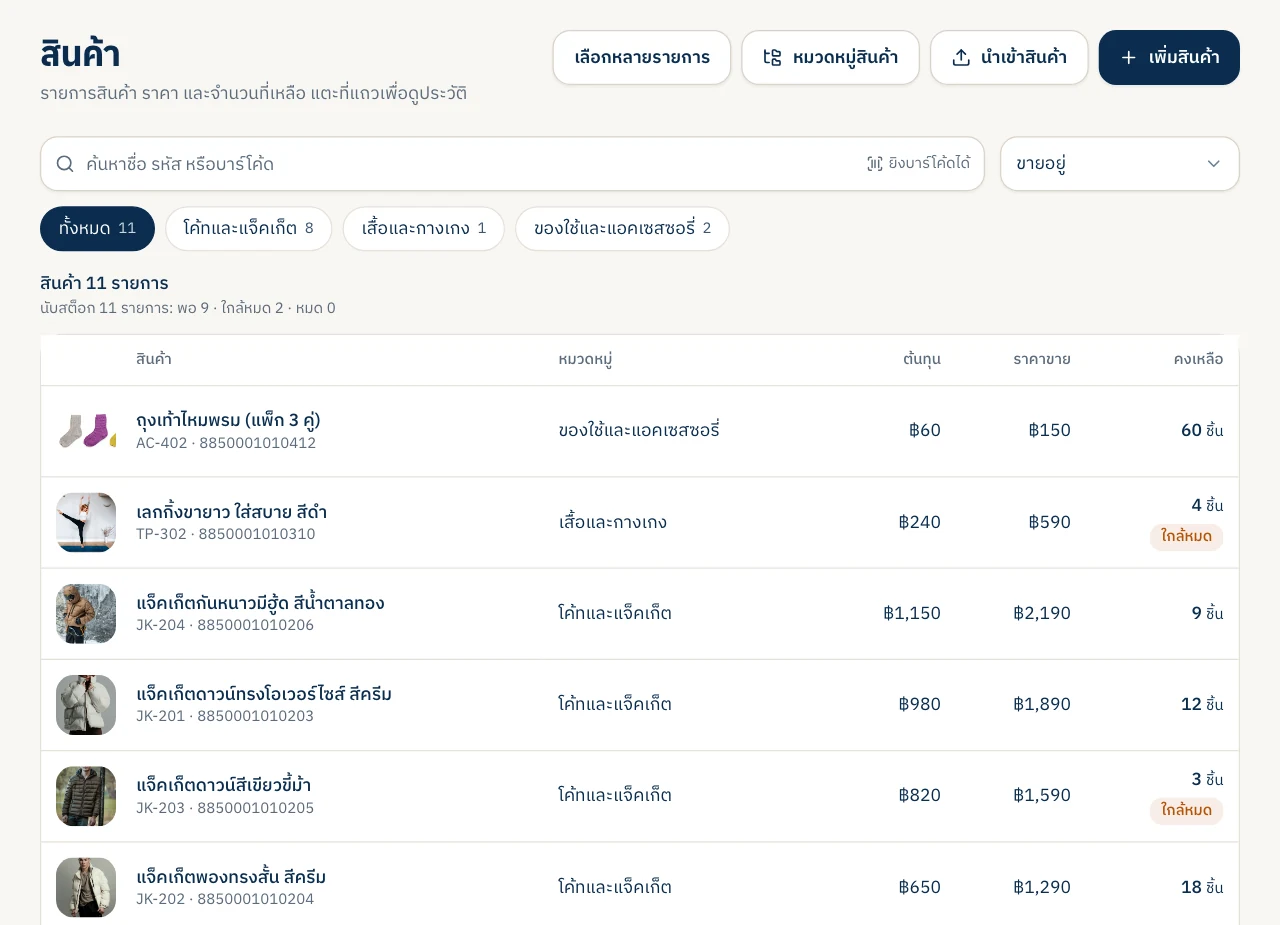
Products with photos, stock left and low-stock alerts (sample clothing shop)
coreup.bizSample data
Ingredients left, with low-stock warnings (sample drink shop)
Business and up
Sell products alongside services and get a warning when items run low
Set a recipe per drink and ingredients are deducted automatically when the bill closes
See ingredient cost and profit per menu item, and export to Excel
Online booking too
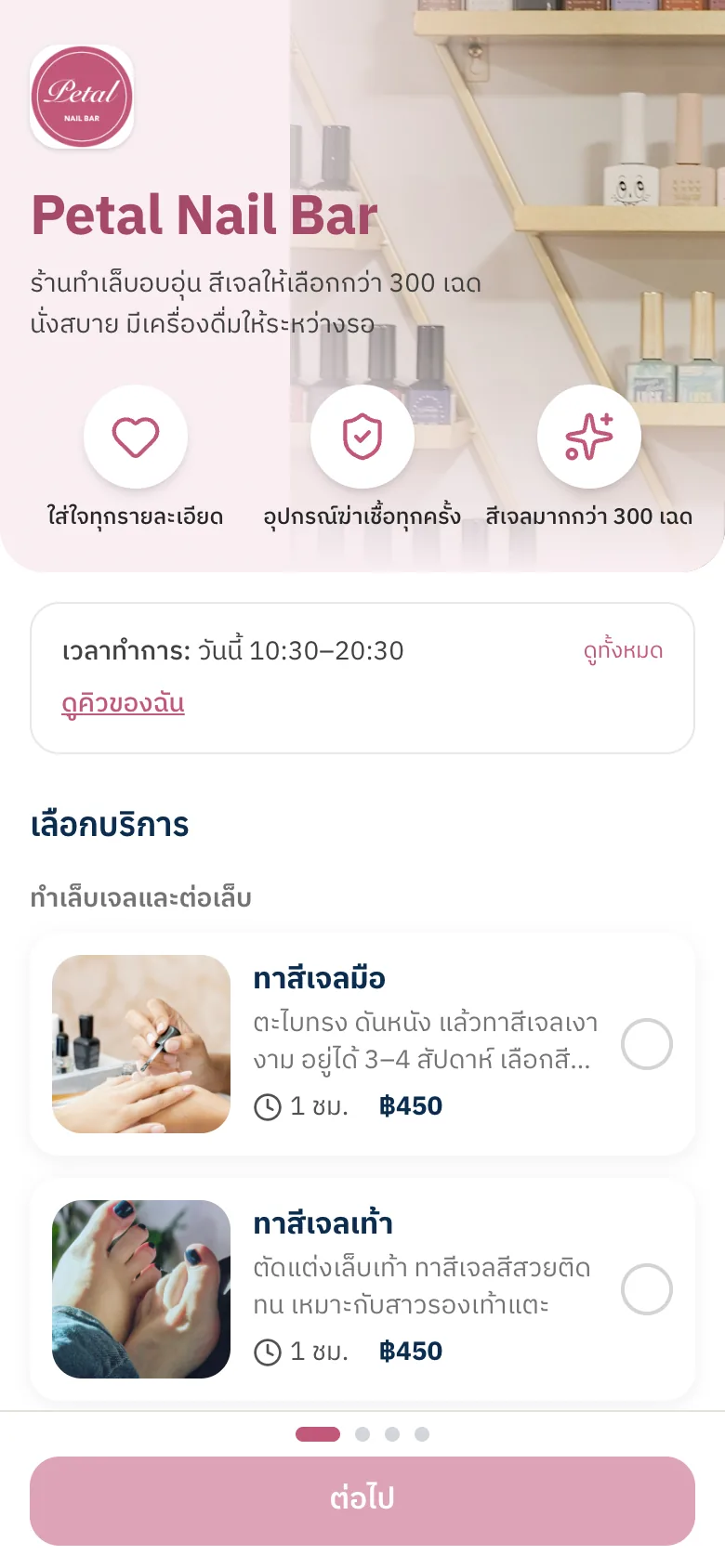
Customers book through LINE and it lands on your calendar
On top of the back office, CoreUp has an online booking system. Customers pick the service, staff and a free time any hour of the day, so nobody waits for an admin to reply.
All plans
Book by LINE, link or QR
Customers only see times that are really free
All plans
Reminders on their own
Instant confirmation, LINE reminders 1 day and 3 hours before
Premium and up
Deposits with a slip
PromptPay QR with the amount filled in; staff check and confirm
Pro and up
Order by QR at the table
For cafés and drink shops, tickets print at the bar
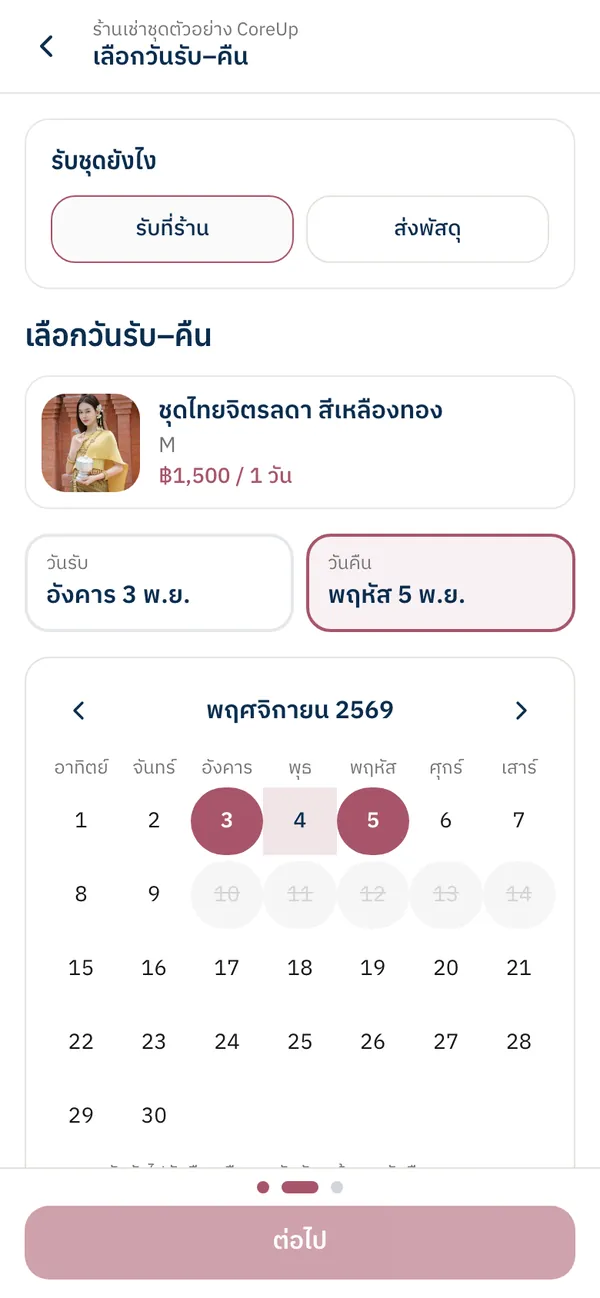
Rental software for every kind of dress. Customers pick the dress and the pick-up and return days themselves; you see where each dress is and who is late.
Book in LINE
Customers choose the dress and the days. No back-and-forth chat
Free days checked for you
The calendar shows only free days, laundry days included, so no dress is double-booked
Deposit + security deposit
Take a deposit at booking, the security deposit at pick-up, and deduct cleaning on one bill
Parcel there and back
Customers see the shipping fee before booking; you print the label and add the tracking number
Can I move my data over from Excel or my old system?
Yes. On the Business and Enterprise plans the CoreUp team sets up and moves your customer data from Excel or your old system, covered by the one-time start-up fee. On smaller plans you can buy it as an add-on service, see the plans page for prices.
Does it work on a phone or tablet?
Yes. The back office runs in the browser, so you can open it from the phone, tablet or computer your shop already has. There is no extra hardware to buy, and owners and staff can sign in with LINE.
Can commission use tiers or bonuses?
Yes. Set commission as a percentage of what was really paid, per service or as one shop-wide formula, then add commission on course sales, tips and bonuses by monthly job tiers. Every change is saved as a new version and the old one stays viewable.
Can I see all my branches together?
Yes. Business covers up to 3 branches and Enterprise 5, with extra branches at ฿490 a month, and you can read every branch in one overview.
What does your team set up for me?
Services, prices and commission, stock and ingredient recipes, moving your customer data, teaching your staff on the real system and support after go-live. You don’t have to do the setup yourself.
How do I pay?
Pay by bank transfer through our admin on LINE, monthly or yearly. Yearly means paying for 10 months and using 12. There is no credit card on file and you get a receipt every time.
Is my customer data safe?
Each shop’s data is kept separate and can only be opened by accounts the shop has added. Customer contact numbers are stored encrypted, and you can ask to export or delete data under PDPA. The privacy policy has the details.
How long is the free trial and do I need a card?
Every plan has a free 1-month trial with no card and no contract. When it ends your data is kept. Message our admin on LINE to choose a plan and pay to continue. Nothing is charged automatically.